
Main-Graphic_Sizing-Guide-Page_
FireWriterLogo_BlackLetters_72

SIZING SHEET GUIDE

Below we focus on the steps to build out a sizing sheet within FireWriter. For more generalized instructions on using the system, visit our FireWriter Distributor User Guide.

OVERVIEW

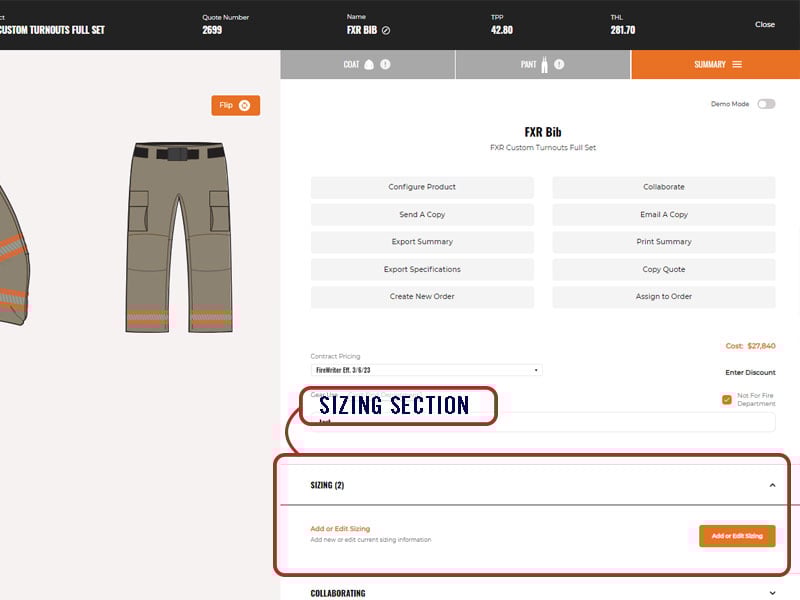
Sizing sheets can be found in the summary tab of a quote build out.
 
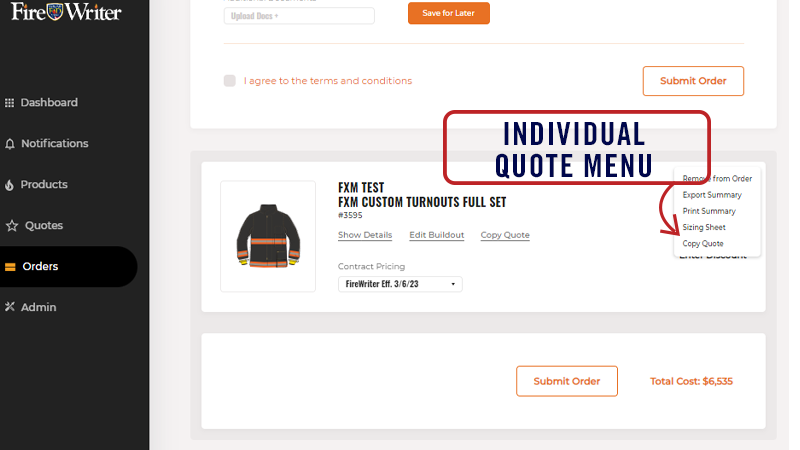
For quotes that have been added to an order, they can also be accessed from the Order page by clicking on the Individual Quote Menu (...).


Each sizing sheet is customized by product line, based on the options selected within the quote. Individual measurements can be added directly into the form fields provided (recommended) or you may download the customized sizing sheet, enter measurements, then upload it to auto-fill the form. 
 
If you opt to download the spreadsheet, please note these 4 important instructions:
  1. You will need to download the sizing form from the quote in which those sizes will be submitted. Ensuring you download the correct/current sheet will prevent submission errors.
  2. Spreadsheets will populate the data into the integrated form fields and are not saved as attachments once the information is uploaded. You may want to keep a copy for your records.
  3. Do not save sizing templates to your personal device as they may become outdated.
  4. For suspenders, a dash is required for the range of sizes you want. For example, use 28-32 instead of 2832. 
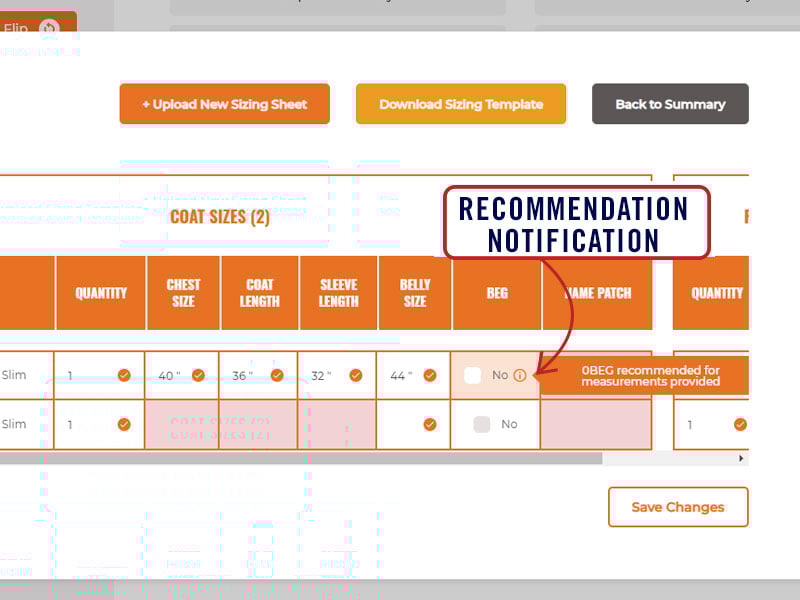
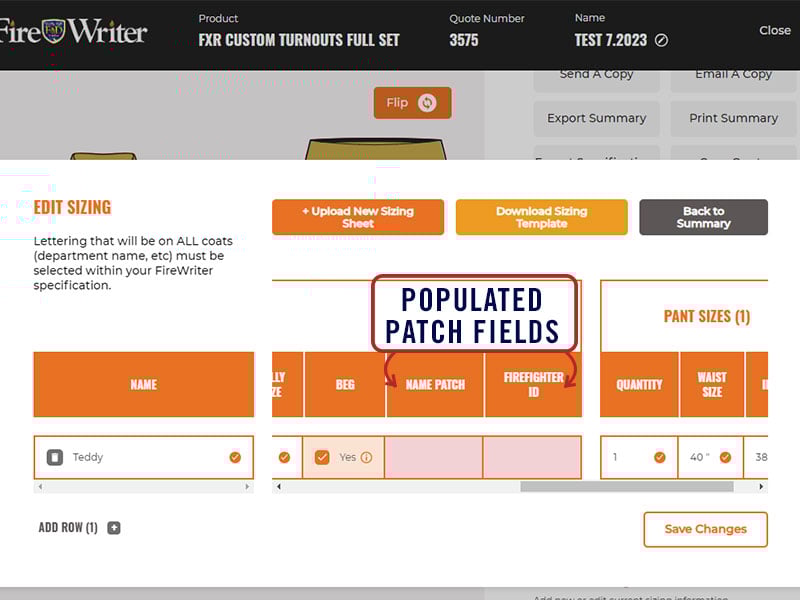
To encourage accuracy, the system is trained to provide recommendations. For example, a BEG and/or Fit Type may be recommended for FXR based on the sizing entered. It is also designed to flag you when information appears to be invalid and highlights required cells in pink if information is missing. Please note that no size ranges are set to warn of unusually large/long/small sizes.  
 

FORM FEATURES

 
Filling out a sizing sheet is simple with mobile accessibility from any of your devices; cell phone, tablet or desktop. Below we dive into some of the features you can expect: 

QUANTITY FIELDS

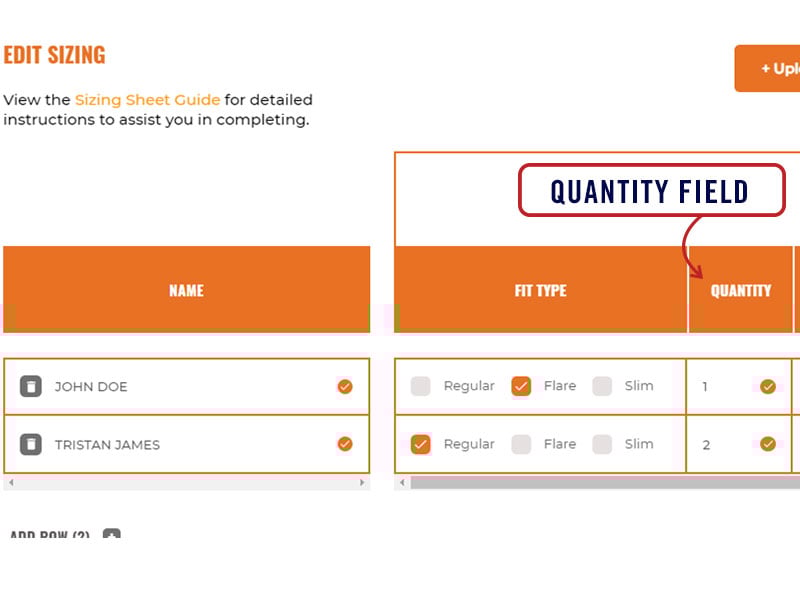
Quantity fields make it simple for you to add multiples of the same size or a different combination of coats and pants.
Example: If ordering only pants, put zero (0) for coat and visa versa.
These entries are saved and can be revised at any time prior to order submission.
 

LETTERING

Lettering should be entered under the "lettering" section of the "coat" or "pant" tab when building out a quote. 
 
There you'll be able to select position, patch, and style.
 
For lettering that needs to be placed on ALL coats within the quote e.g. department name, you'll need to select "Custom" from the "Choose Letters" drop down and enter your desired text into the field provided.
 
Selections requiring individual names, ranks, IDs, etc. will populate a column on the sizing sheet for your manual entry.
 
The system will validate whether or not the total number of letters entered will fit on the patch selected. If your text is too long, try reducing the letter size in the Lettering Section of the build out or abbreviating. 
 
For lettering to be left blank, you must add a space to fulfill the text requirement.
  • This applies to both the "Name" and "Name/Rank/ID" columns on the sizing sheet as well as the "patches" section within your quote
  • Any text, such as the word “blank”, "N/A" or other characters, should not be used
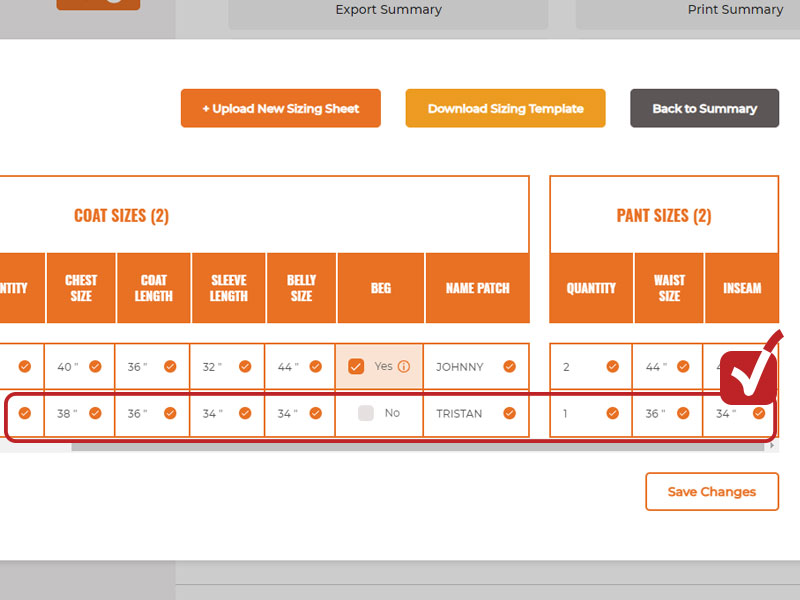
Please double check ALL spelling before submitting.

REQUIRED FIELDS

All measurements and required fields must be completed for the system to accept the sizing sheet.

Likewise, all required fields within the quote must be completed before submitting an order. The system will flag and notify you of any missing information.

Hip measurements are required for all FireWriter quotes for AeroFlex and FXR product lines. 

For tips on properly sizing firefighters for Fire-Dex turnouts, click here.
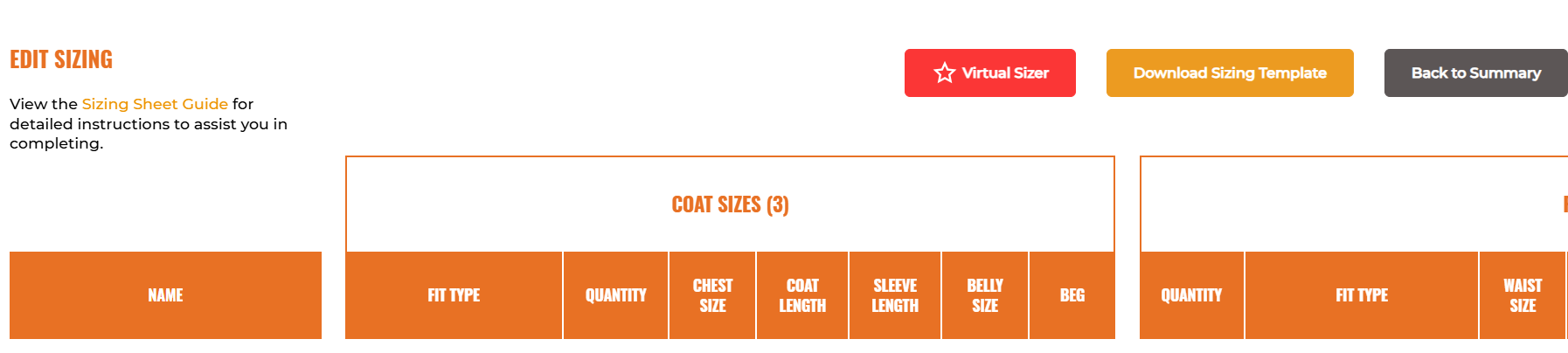
VIRTUAL SIZER

Virtual Sizer Overview

The Virtual Sizer harnesses the power of AI to revolutionize sizing recommendations, using just a few quick measurements. These measurements can be conveniently sent to firefighters for completion via email or handled right at the station.

While completely optional, this cutting-edge technology has been rigorously tested and proven to deliver exceptional accuracy. Even better, the system gets smarter and more precise over time as additional data is added.

At Fire-Dex, we fully stand behind this innovation. In the rare case of a mis-sizing, we’ll make it right—guaranteed.


How to Complete

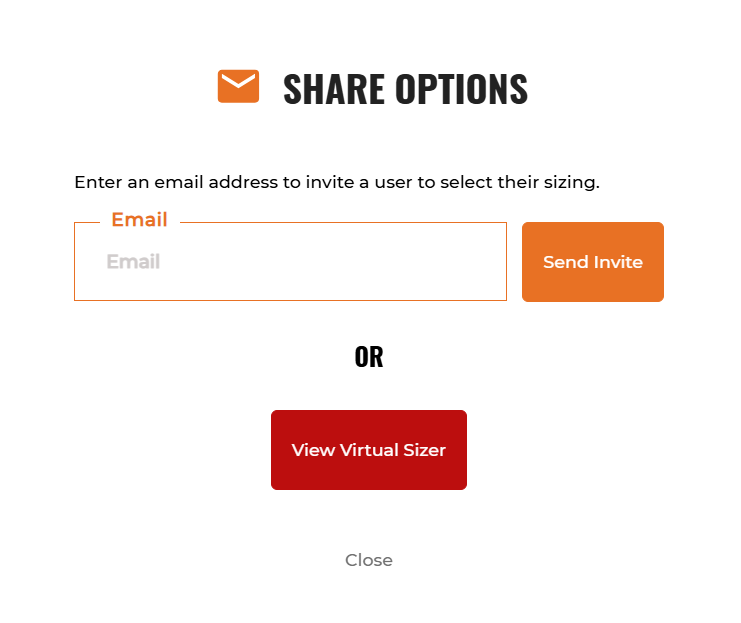
Measurements can be completed either virtually or in person.

For virtual completion, you have two options:

  1. Upload a file – Download the sizing template, add the email addresses of the firefighters, and reupload the completed sheet into the system.
  2. Manual entry – Enter email addresses directly into the sizing sheet.

For both methods, click "Send Invite" once all emails are entered.

To complete measurements in person, click "View Virtual Sizer" and follow the on-screen instructions.
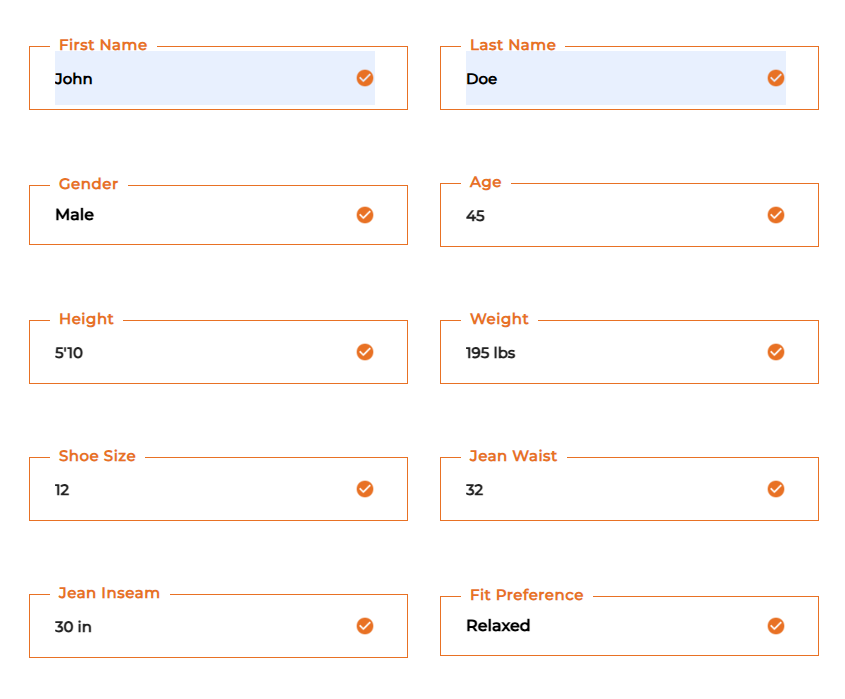
Virtual Sizer Form

Answer all questions on the form as accurately as possible. The sizer is designed to account for minor discrepancies and variations on sizing.


Confirming Sizes

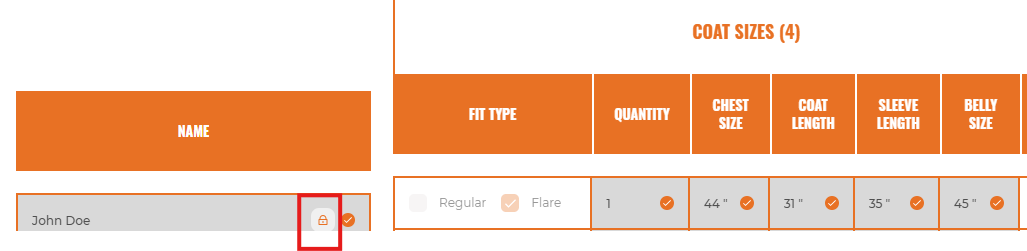
Once the virtual sizer sheet has been completed, sizes will automatically populate the sizing sheet.

Sizes will be locked in. To manually change, click the lock icon near the user's name. Note that if sizing is changed manually, Fire-Dex will no longer cover any sizing issues. 


FIT TYPES

FIT TYPE SELECTION

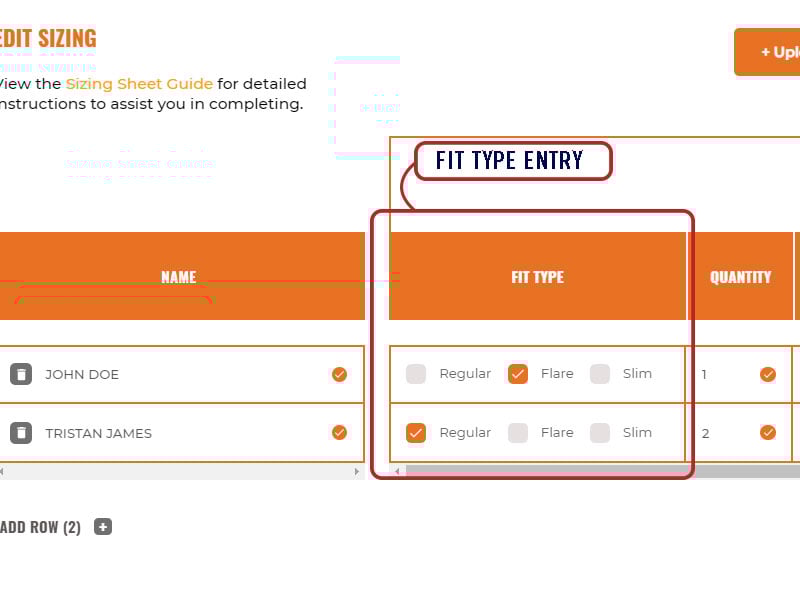
The sizing sheet will pre-populate a column for "fit type". This allows you to choose the appropriate fit for each line item. 
 
Note that a hip size measurement is required for all AeroFlex and FXR orders. This measurement is crucial for proper sizing recommendations. 
 
Recommendations will be provided based on the measurements for each individual. You can manually select another fit as needed. 

BEG - WAIST EXPANSION GUSSET

If an individual's hip size is much larger than their chest, a Waist Expansion Gusset (BEG) may be needed to widen the coat to fit the hips.
 
The sizing sheet will offer a recommendation when the measurements provided suggest a need for the addition of a BEG. It can also be manually selected. 


SIZING INSTRUCTIONS

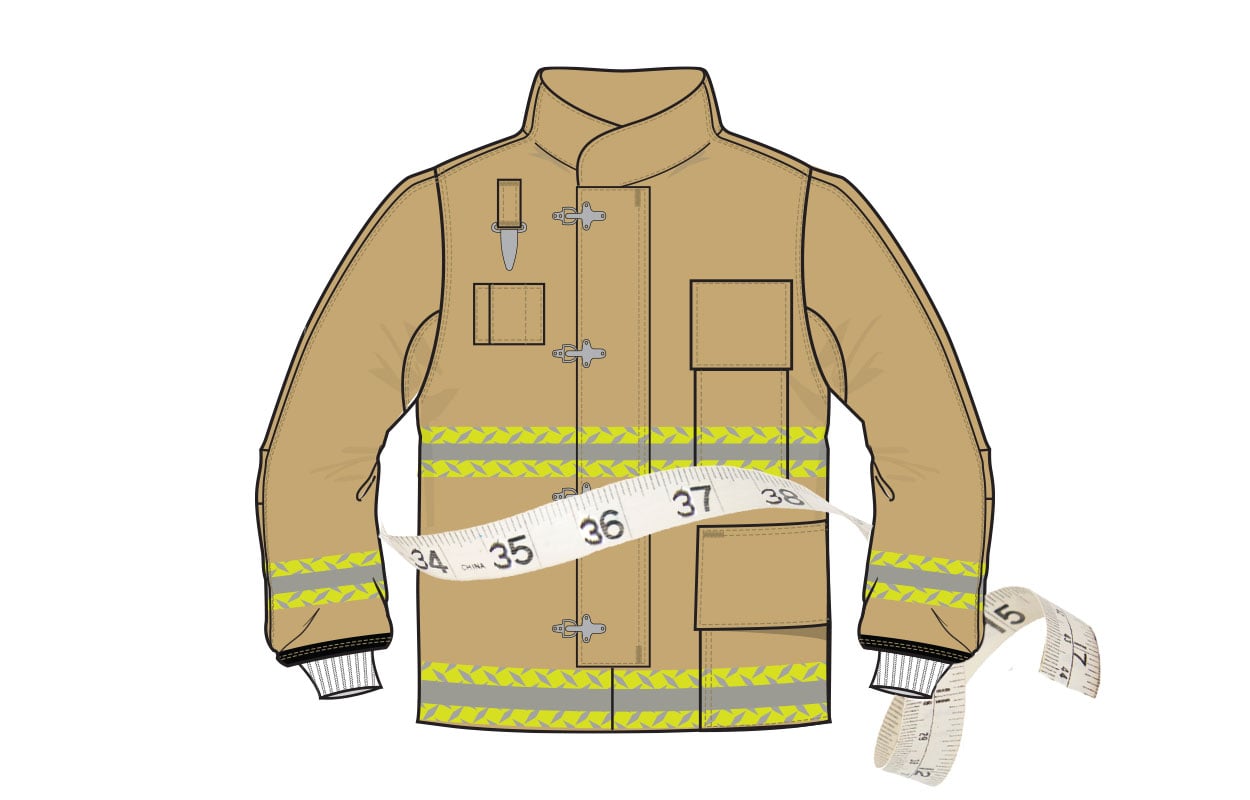
To help assist you in properly measuring firefighters for Fire-Dex turnout gear, we created a quick and simple how-to guide. This video covers the basics of:
  • Base Measurements
  • Hip & Belly Best Practices 
  • Measuring & Checking Waist Fit
  • Adjusting for Proper Inseams
  • Selecting the Correct Suspender Length
  • Determining Accurate Chest Measurements, Coat Lengths and Sleeve Lengths
 

STANDARDIZED GARMENT CHARTS

WILDLAND JACKET SIZING

Fire-Dex Wildland Apparel is compliant to NFPA 1977, current edition.

SIZE CHEST STD. SLEEVE*
SM 35-38" 33"
MD 39-42" 34"
LG 43-46" 35"
XL 47-50" 36"
2X 51-54" 36"
3X 55-58" 36"
4X 59-62" 36"

*Custom sleeve lengths and inseams available. If unspecified, standard will be shipped.

WILDLAND PANT SIZING

Fire-Dex Wildland Apparel is compliant to NFPA 1977, current edition..

SIZE CHEST STD. INSEAM*
SM 27-30" 29"
MD 31-34" 29"
LG 35-38" 30"
XL 39-42" 31"
2X 43-46" 31"
3X 47-50" 31"
4X 51-54" 31"

*Custom sleeve lengths and inseams available. If unspecified, standard will be shipped.

WILDLAND COVERALL SIZING

Fire-Dex Wildland Apparel is compliant to NFPA 1977 & NFPA 1951, current edition.

SIZE CHEST STD. SLEEVE* STD. INSEAM
XS 34 32" 28"
SM 38 33" 29"
MD 42 34" 29"
LG 46" 35" 30"
XL 50" 36" 31"
2X 54" 36" 31"
3X 56" 36" 31"
4X 58" 36" 31"

*Custom sleeve lengths and inseams available. If unspecified, standard will be shipped

WILDLAND TECH RESCUE PANT SIZING

Fire-Dex Wildland Apparel is compliant to NFPA 1977 & NFPA 1951, current edition.

SIZE PANT STD. INSEAM*
SM 27-30" 29"
MD 31-34" 29"
LG 35-38" 30"
XL 39-42" 31"
2X 43-46" 31"
3X 47-50" 31"